Smart Brook
Autonomous vehicles
An autonomous ride with a local guide on board.
Smart Brook is a multimodal in-vehicle experience anchored by Brook — a virtual AI companion who narrates the car's decisions in plain language and doubles as a local guide for a first-time visitor: where to eat, what's worth a five-minute stop, which neighborhood is safe at night. The car gets trust by being legible; the city gets familiar by being narrated.
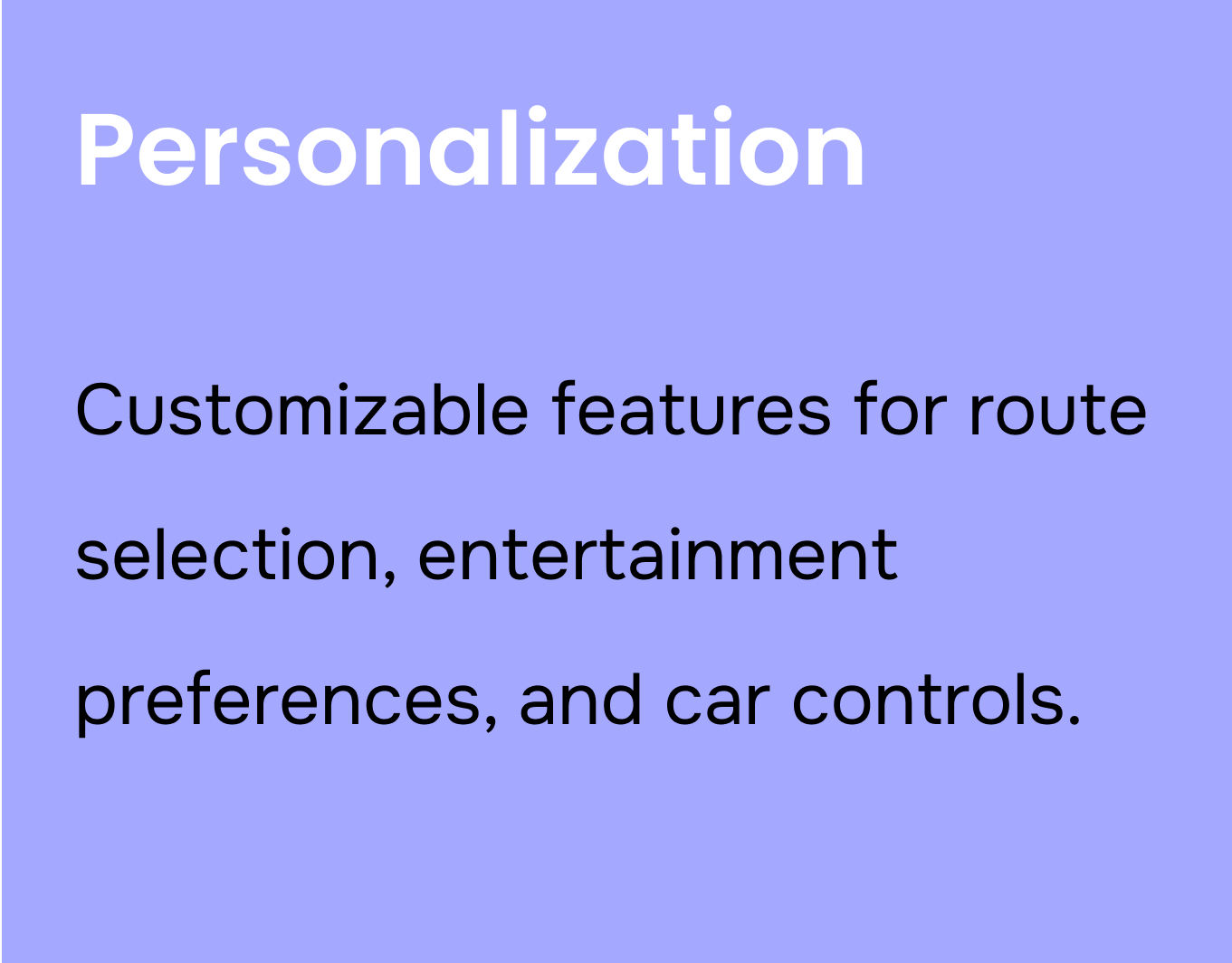
Empowered customization
Passengers shape the ride — exploration, entertainment, climate — without leaving the journey.
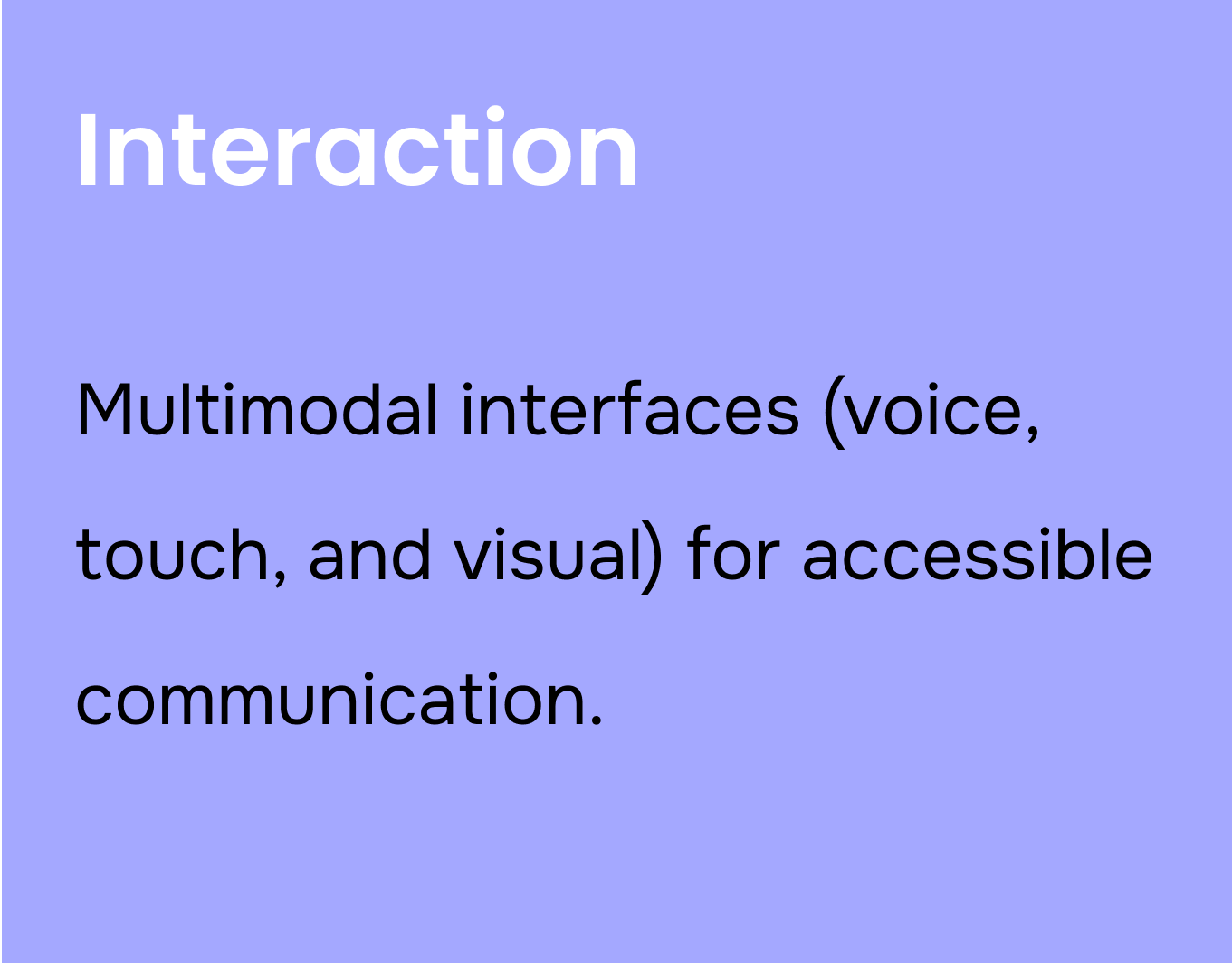
Multimodal support
Voice, touch, and visual paths to the same action. Whichever channel a passenger reaches for, the system answers.
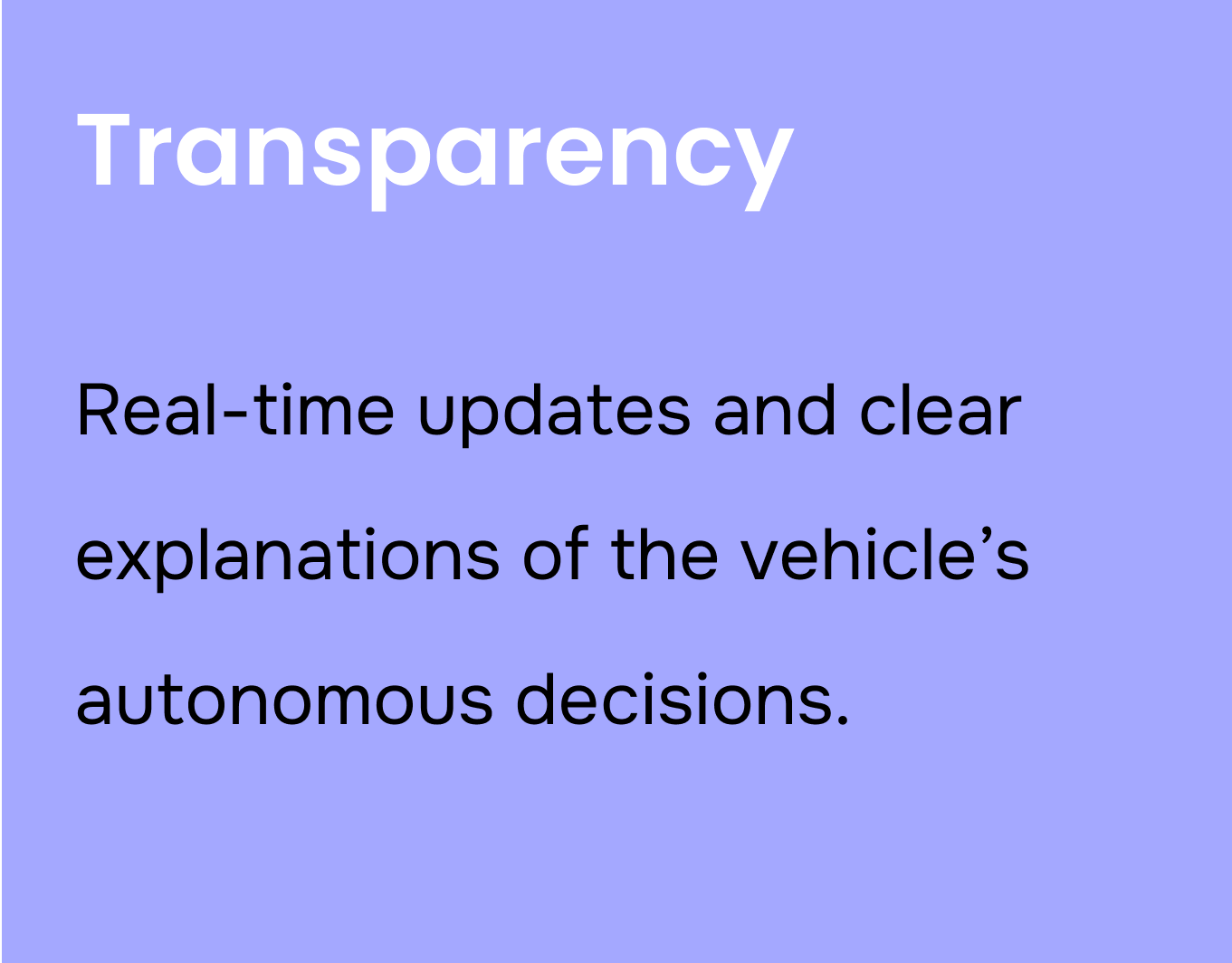
Transparency & awareness
Every non-trivial action ships with a one-sentence reason and a map mirror — no opaque autonomy.
Safety & control
Override stays one tap away on every reveal. Disagreement is a feature, not an emergency.
Your AI companion. Local from day one.
Most autonomous systems are anonymous. Brook isn't. She's the voice and visible presence of Smart Brook — engineered for the moment a passenger arrives in a city they've never seen before. She has a name, a calm voice, a deep map of the city you're in, and the patience to answer the same question a first-time visitor asks a hundred times.
The companion
Brook
Always on · Multilingual · Locally grounded
"Hi — I'm Brook. I'll narrate what the car is doing, and tell you what's worth a stop along the way. Tap me anytime, or just ask out loud."
What she does
Narrates the car's reasoning in plain language. Surfaces nearby food, architecture, historic sites, and music. Handles route edits collaboratively. Stays available across voice, touch, and visual channels — same Brook, three paths.
Local knowledge
- Points of interest with context, not markers
- Neighborhood safety, day and night
- Hours, walking time, opening status — live
- Curated picks, not tourist traps
Always available
- Multilingual — no driver-passenger language barrier
- Voice, touch, visual — three paths to the same answer
- Same Brook on the first ride as the hundredth
Brook is what makes the rest of the system feel like a relationship instead of a service. Every reveal card, every reroute, every "thank you for riding" at the end of the trip — those are Brook talking, not "the car."
The car can be safe and still feel unsafe.
Autonomy runs on metrics passengers can't see — perception scores, collision avoidance, lane confidence. So even when the vehicle is statistically safer than a human driver, the passenger's body still flinches at the unexplained slowdown, the silent reroute, the wheel that won't move.
It's not a sensor problem. It's a communication problem — and it collapses in the seconds between the AI deciding something and the human realizing why.
HMW How might we grow a passenger's sense of control and safety — without making the AI feel opaque or paternal?
n = 53 survey respondents · 10 semi-structured interviews · Google Forms + Zoom, 2024
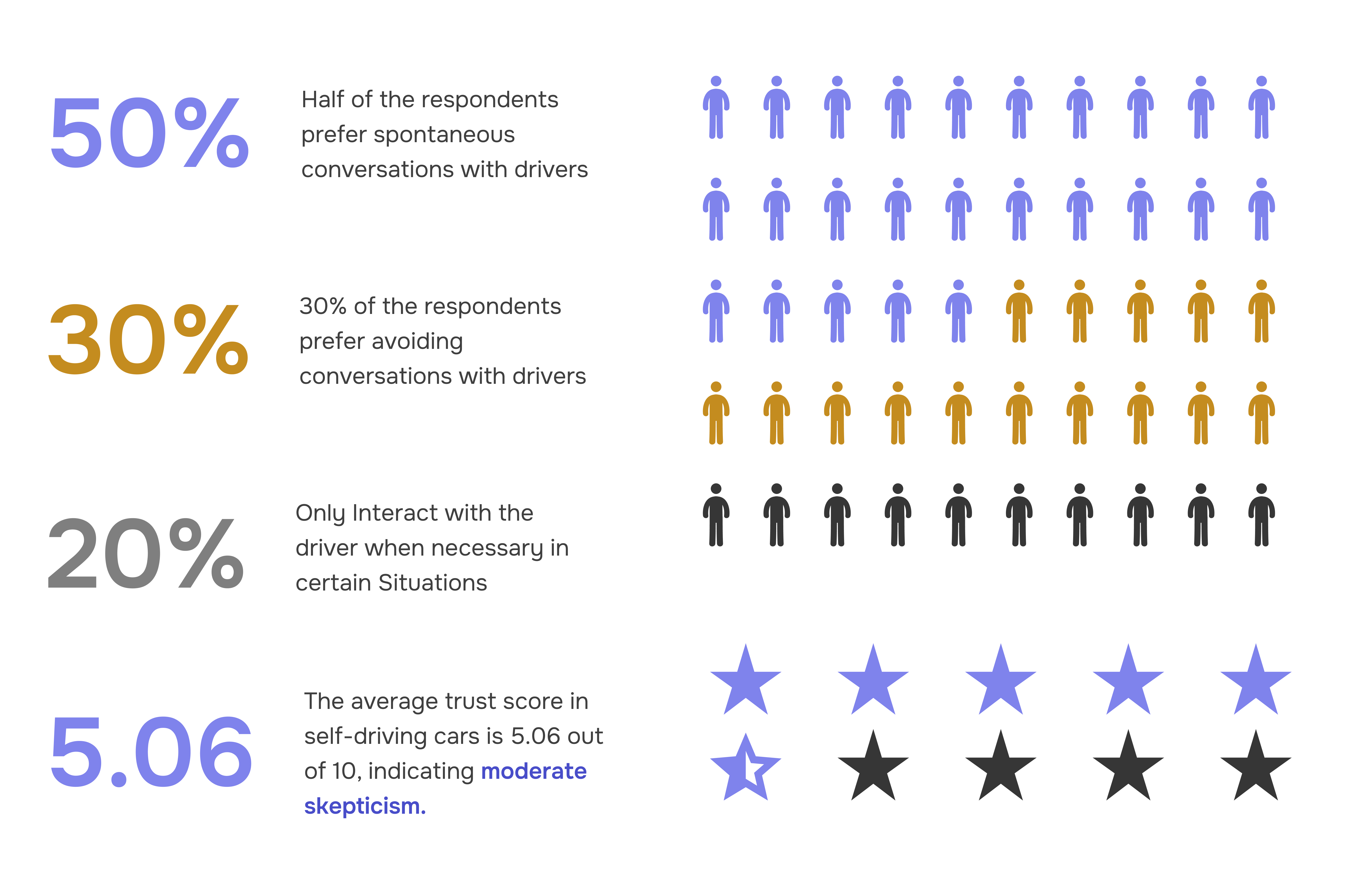
What we heard before we drew a single screen.
10 qualitative interviews
Frequent business travelers, casual vacationers, and daily commuters — chosen for the spread of contexts in which someone might use a self-driving ride.
Most participants didn't fear the technology. They feared not understanding what it was about to do.
50+ survey responses
A multiple-choice instrument distributed via Google Forms to students, professionals, and frequent ride-hailers.
Respondents who described autonomous rides as "stressful" overwhelmingly cited opacity, not danger.
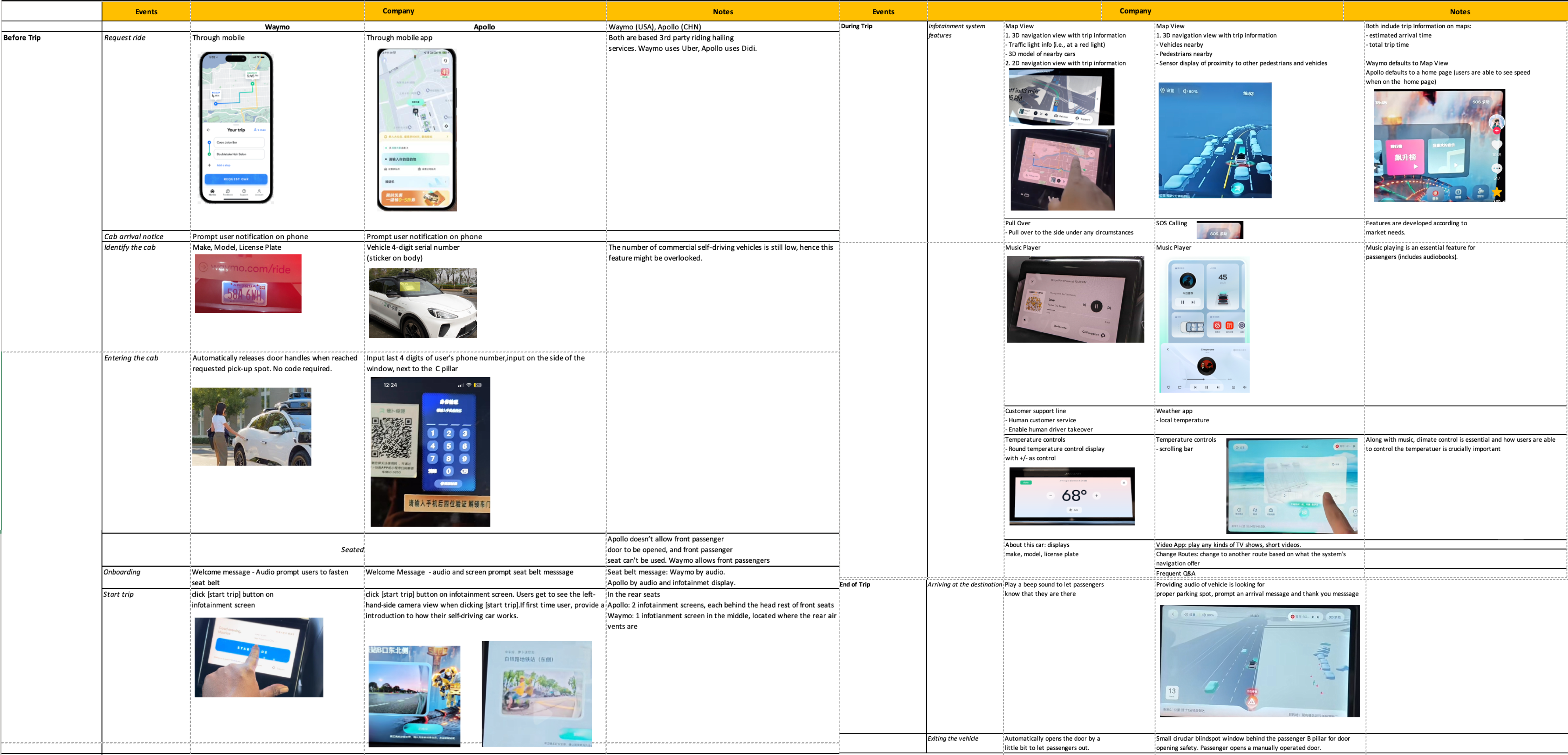
POV ride video analysis
We logged in-vehicle features and passenger actions across competitor POV videos, mapping each step into a comparative chart.
Existing systems narrated what the car was doing, rarely why — leaving the passenger to infer reasoning.
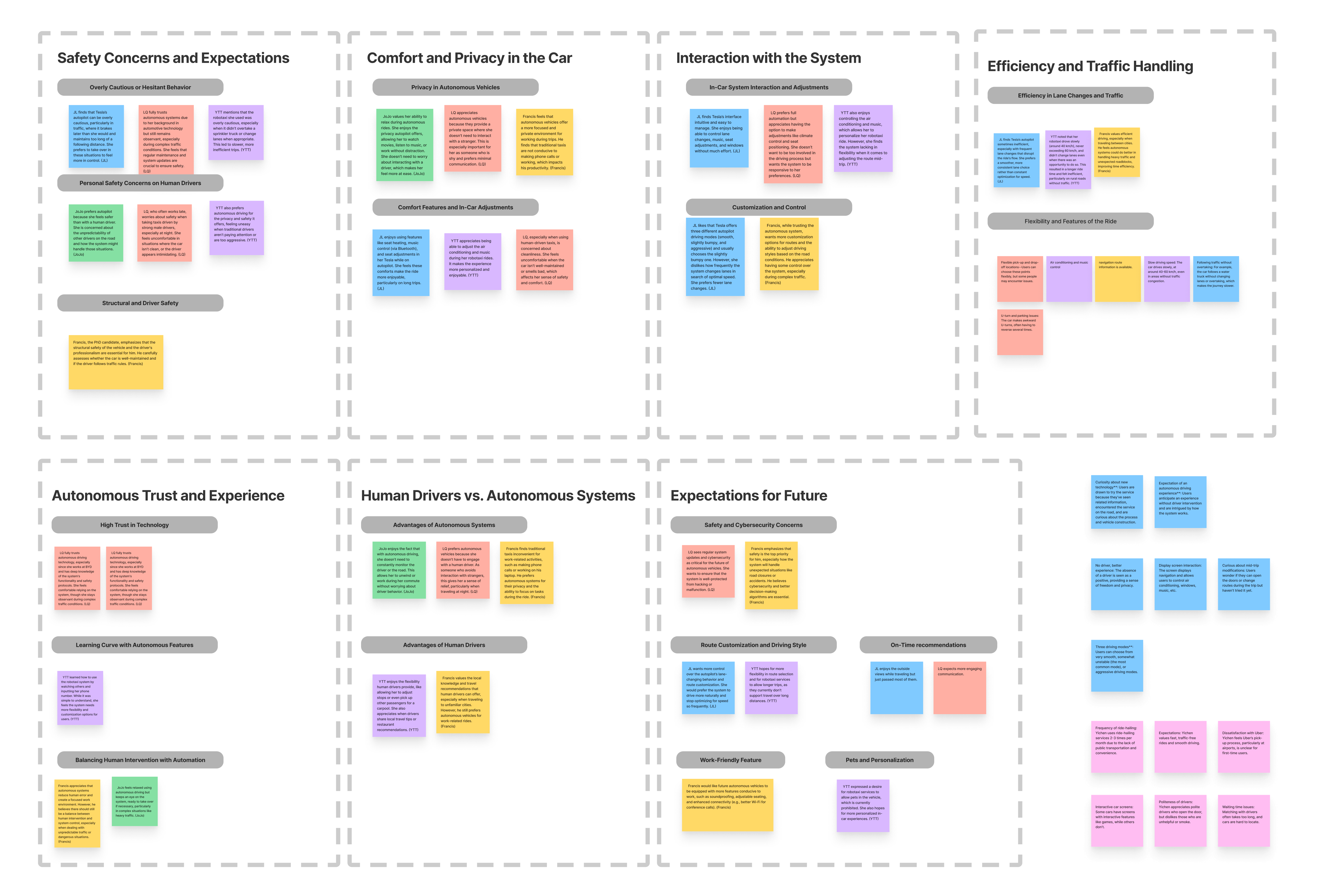
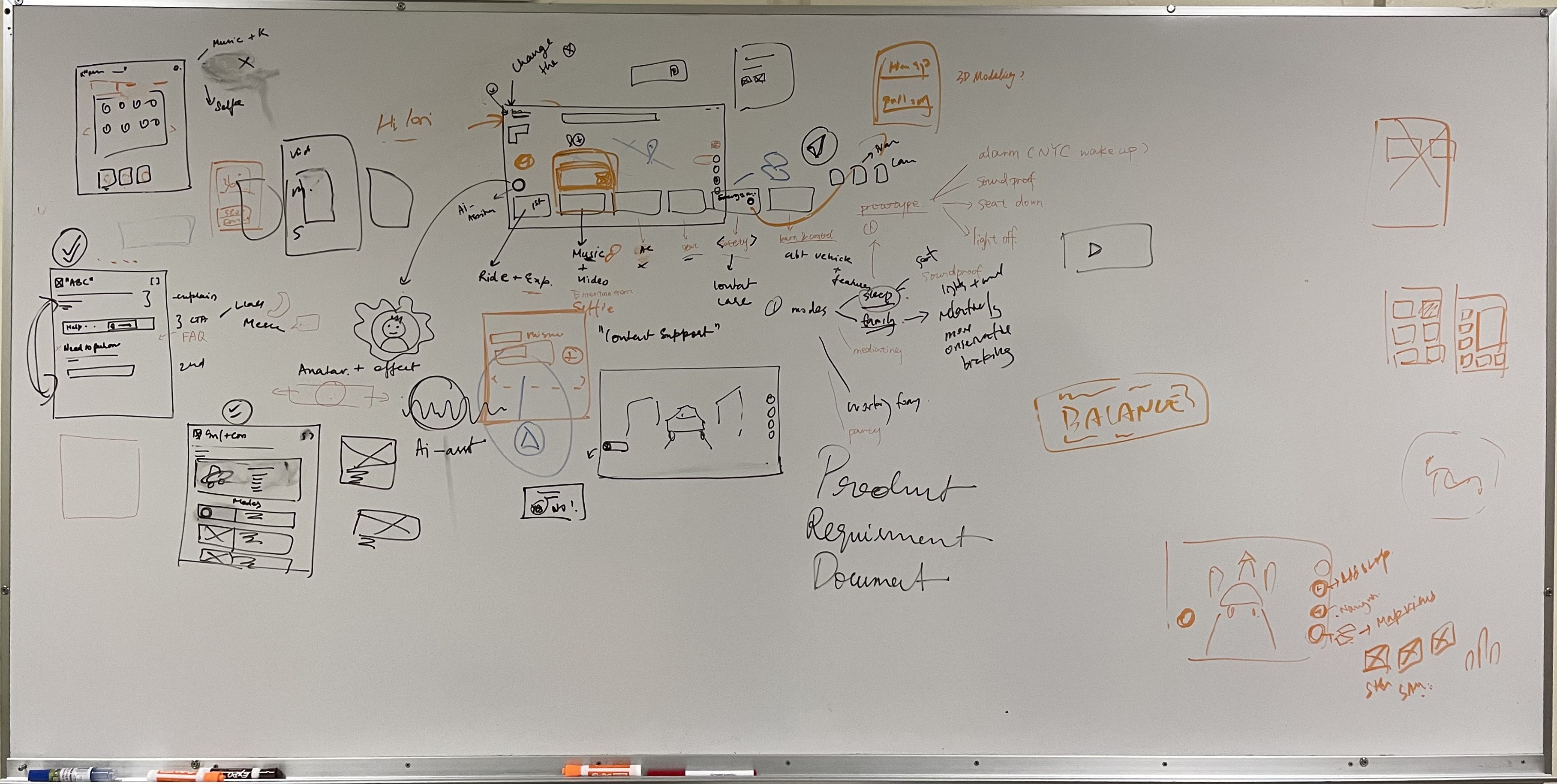
The wall before the artboard. Before any pixel was set, six candidate flows lived as marker-and-magnet sketches on a whiteboard. The patterns that survived to the design system were the ones we could re-explain to a stranger in under thirty seconds.
"It's not the speed that scares me. It's that the car will just do something and I don't know if it saw what I saw."
— Daily commuter, P03
"I want to know it's thinking. Not the math — just that there's a reason."
— Vacationer, P07
"Honestly, I'd rather it just drove. I'm tired of explanations on every app."
— Business traveler, P09 · dissenting view
Trust isn't a score. It's a loop.
Passengers don't decide once whether to trust the car. They re-decide on every action. Every slowdown, every reroute, every silent moment is a turn of the same five-step loop — and trust either accumulates or quietly leaks.
Each turn is a chance to calibrate — not to maximize.
Predict
The passenger forms a mental model: "the car should slow for that stop sign."
Act
The vehicle takes an action. Brakes engage. Wheel turns. Route shifts.
Reveal
The system announces the action and its reason — in one sentence, before the passenger has to ask.
Verify
The passenger checks the reveal against their prediction. Did the car see what I saw?
Adjust
The passenger calibrates: relax, override, or change a preference. The next turn begins from a new baseline.
Smart Brook is engineered around this loop. Every screen, every voice line, every haptic moment was designed to keep all five stages legible.
Skip a stage and the loop breaks.
Three patterns in our research showed what happens when one of the five stages is missing. Each one is a place where a well-intentioned autonomous system silently erodes the trust it just spent miles earning.
The silent slowdown
Pattern: Car acts but doesn't explain. The passenger feels a brake they didn't predict, with no reason given.
Cost: Anxiety. Every silent moment after this one feels heavier.
Fix: Decision Reveal — every non-trivial action surfaces a one-line reason within 600 ms.
The locked passenger
Pattern: Car explains, but offers no override. The passenger understands, disagrees — and discovers there's no way to act on the disagreement.
Cost: Resentment. Transparency without agency is patronizing.
Fix: Tap-anywhere override and a route-edit affordance on every recommendation card.
The unannounced shift
Pattern: Car changes mode (manual handoff, reroute) without giving the passenger time to form an expectation first.
Cost: Startle. The passenger reacts to the action instead of cooperating with it.
Fix: Pre-act narration — "approaching construction at Pike St, considering reroute" — surfaced before the action lands.
Three rules the whole system obeys.
Before drawing a single screen, we wrote three rules. Every feature that followed had to pass all three — and every screen on this page is a way of keeping them.
Reveal, don't reassure.
Stating "you're safe" doesn't earn trust. Showing what the car is reasoning about does.
Quiet by default, loud on change.
Routine driving doesn't need narration. Mode shifts, reroutes, and hazards do — and they should be impossible to miss.
Override is a feature, not an emergency.
If the only way to disagree with the car is in a panic, the passenger never disagrees calmly — and never builds calibrated trust.
Built for the first-time visitor, not the early adopter.
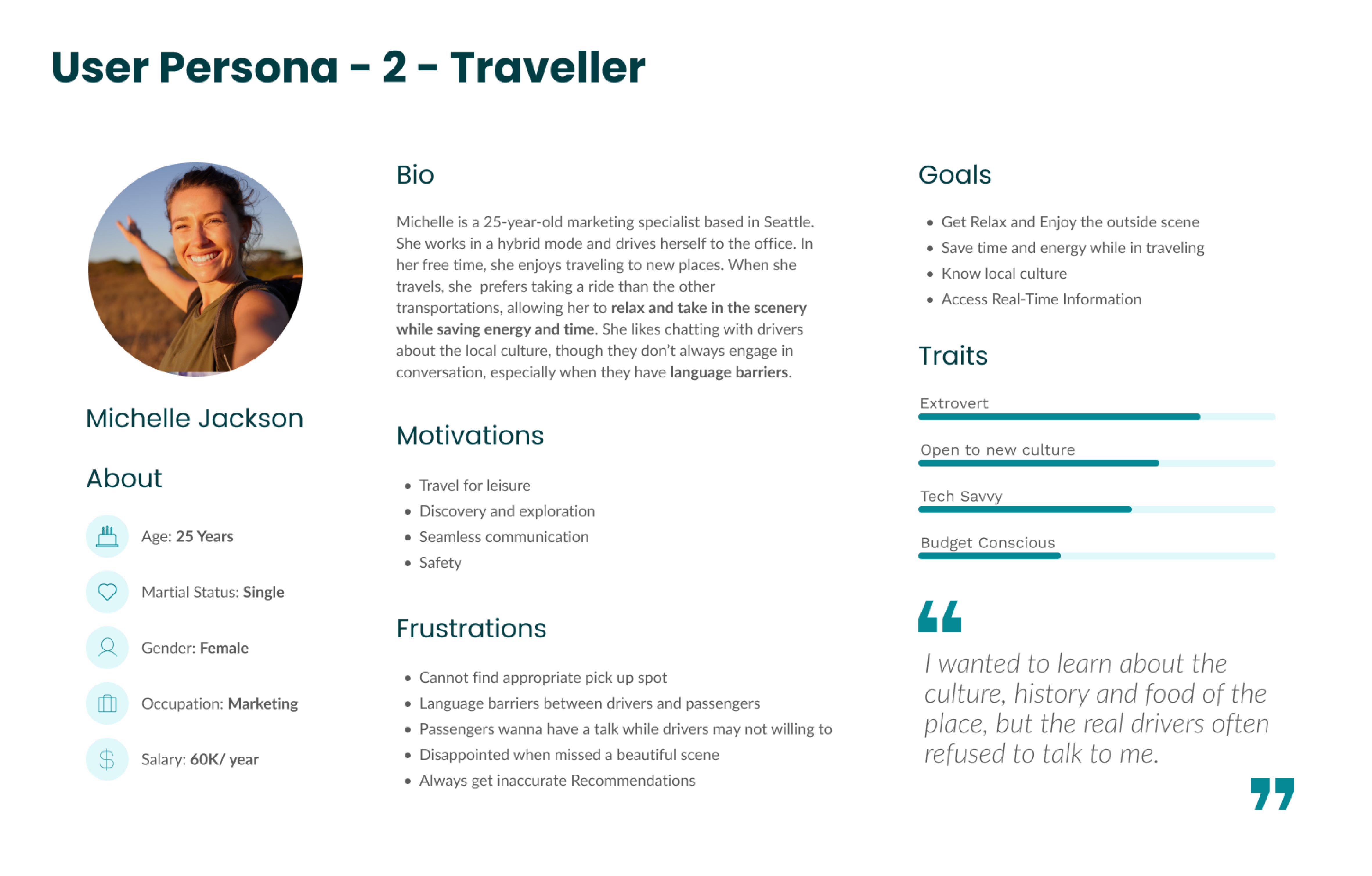
Primary persona
Elena
28 y/o · First weekend in Seattle · Solo traveler
"I want to explore — I just don't want to feel like a tourist who gets the tourist-trap version of everything. If the car can tell me what's actually worth a stop, and get me back to the hotel without a sketchy detour, I'm in."
Background
Flew in Friday night. Doesn't speak the local language perfectly. Doesn't drive. Has a hotel booking and a vague list of places to try. Trusts technology when it has a personality.
Goals · Needs
- Explore without getting lost
- Local context, not a brochure
- Stops added without re-planning
- A calm voice when something changes
Pains
- Language barrier with human drivers
- Tourist-trap recommendations
- Unfamiliar streets at night
- No one to ask "what's that on the left?"
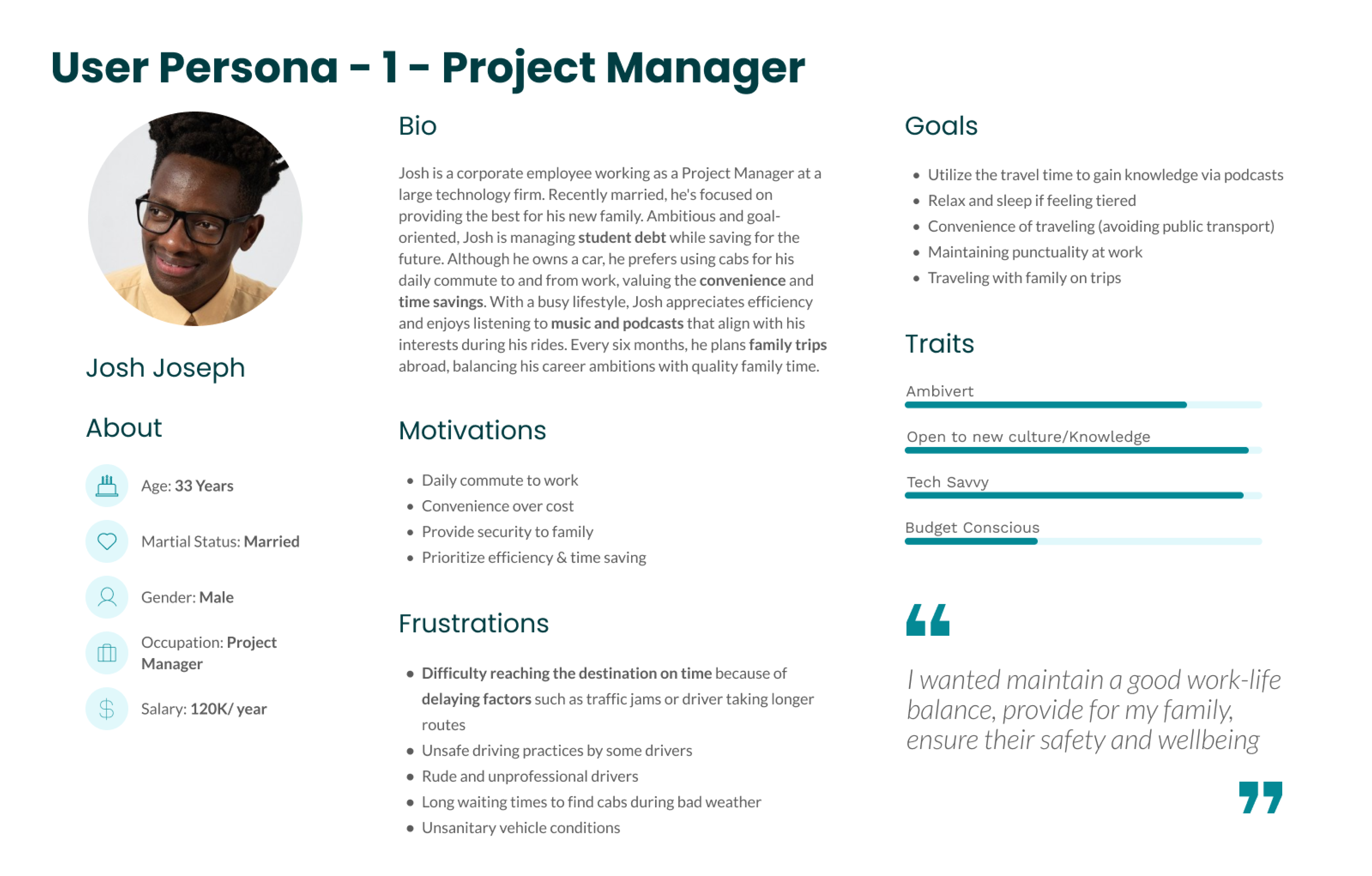
Elena is the lead persona. The research surfaced two adjacent riders Smart Brook also serves — the same loop, different mode.
The first-time visitor
New city, exploratory route. Wants suggestions and context — "what's that on the left?" — without being marketed at. Brook's primary user.
The cautious commuter
Familiar route, predictable cadence. Wants quiet narration on changes, never on routine.
The business traveler
Working in the car. Wants to ignore the ride entirely — but never miss a handoff, hazard, or a meeting nearby.
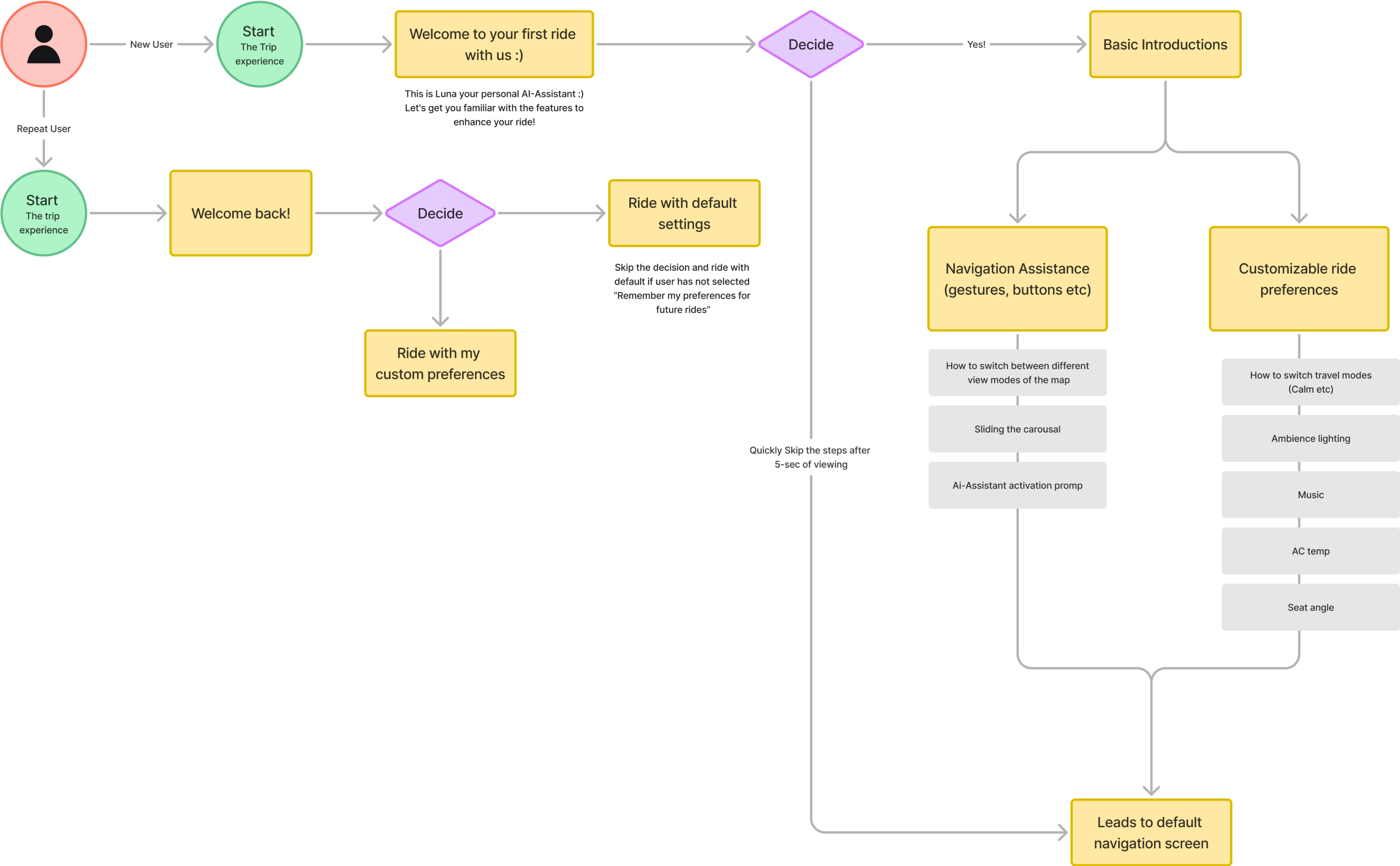
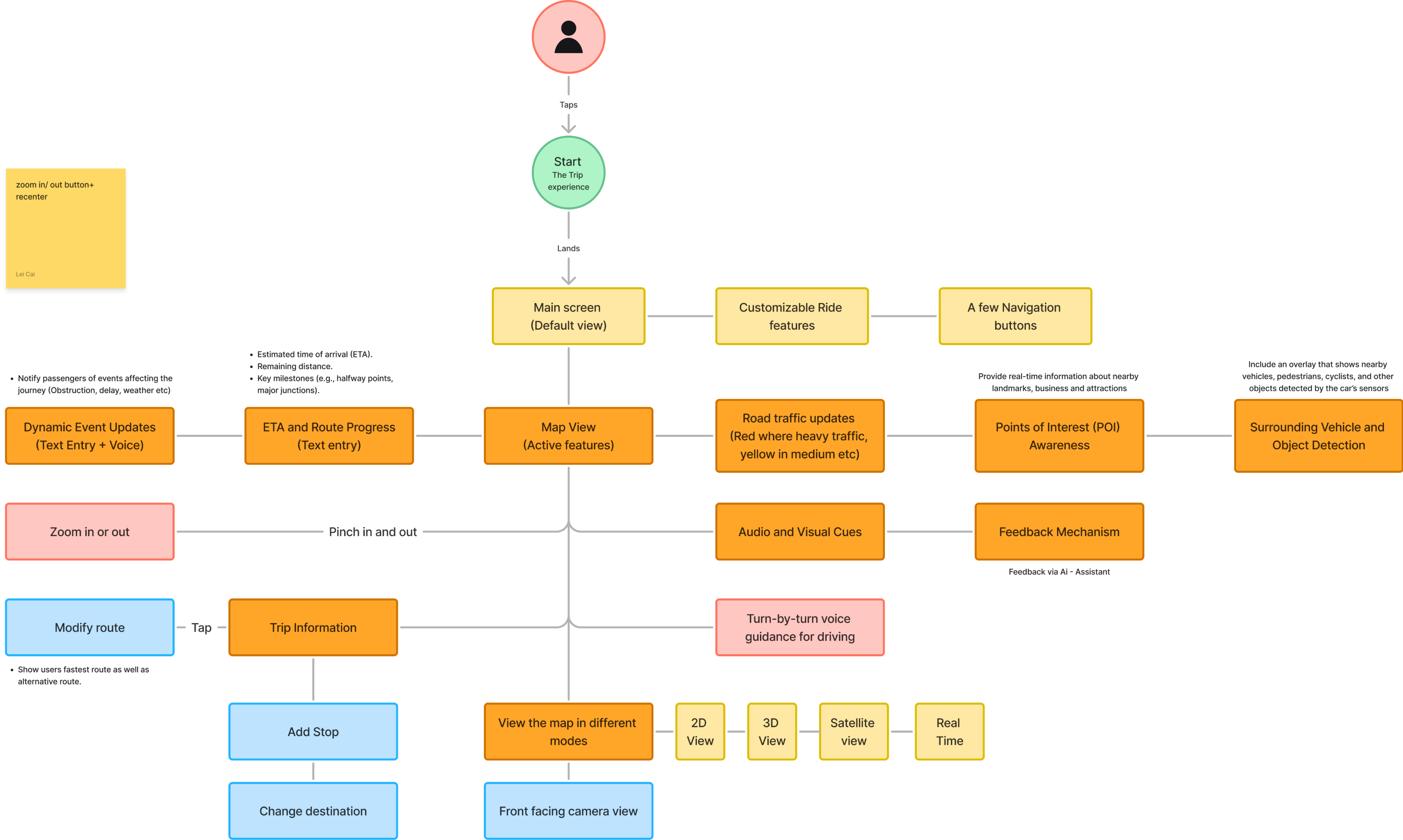
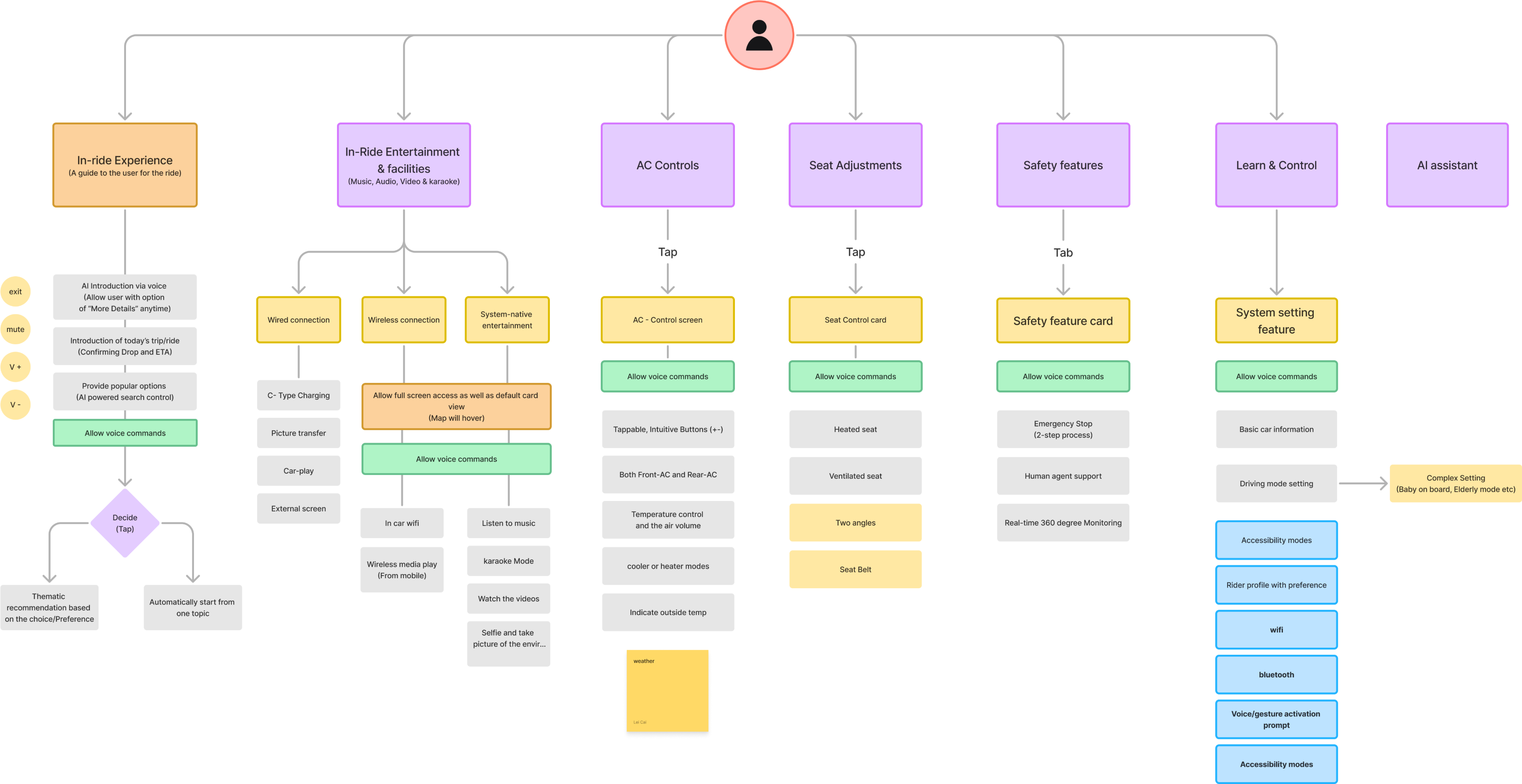
How a whiteboard became a coherent IA.
Three documents got us from improvisation to a system that scales. None of them are pretty. All of them are load-bearing.

Three flows, every turn of the loop.
Three concrete journeys, each a place where the trust loop has to hold. Each flow is tagged with the loop stage it most strongly demonstrates, and each modality (voice, touch, visual) reaches the same screen state.
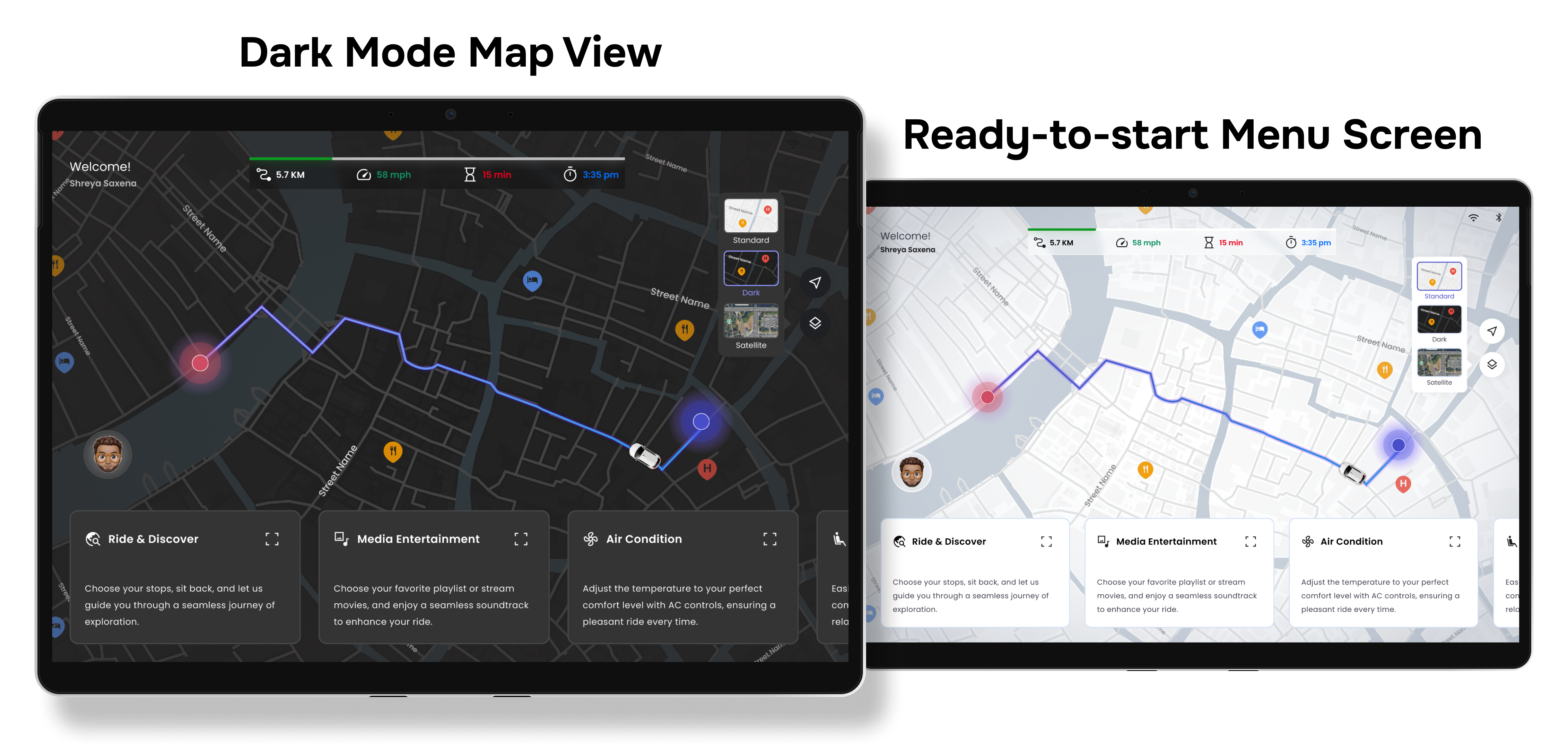
Map & Reveal
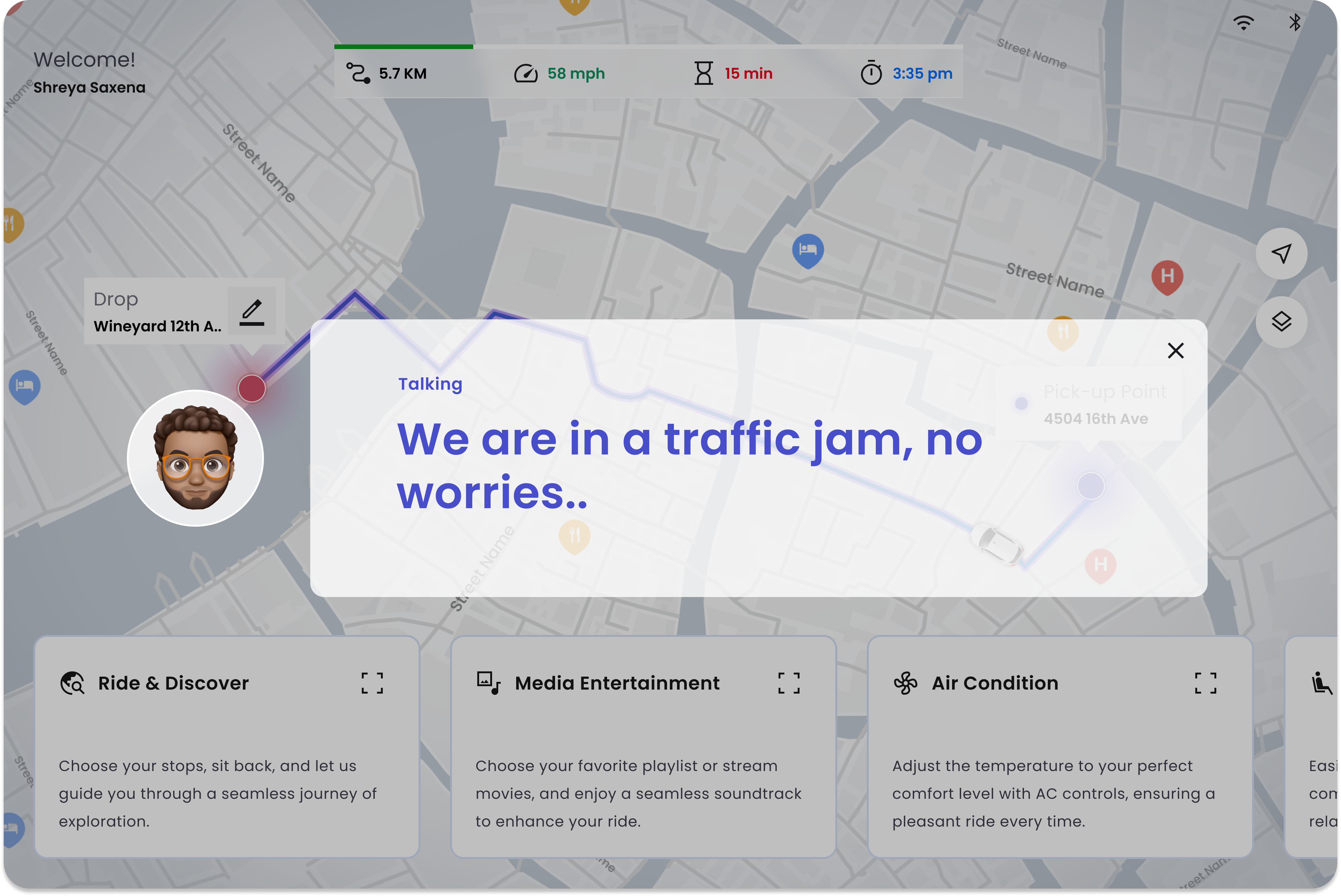
The map is where reveal and verify meet. Every car decision — slowdown, reroute, hazard — is mirrored on the map at the moment of the reveal card, so the passenger can match what the car saw to what they saw. The cluster ships in both light and dark — same hierarchy, different ambient mode.
- Reveal card pinned to the route, never the bottom of the screen
- Live trigger markers (pedestrian, construction) on the map
- Light + dark cluster · same component graph, swapped tokens
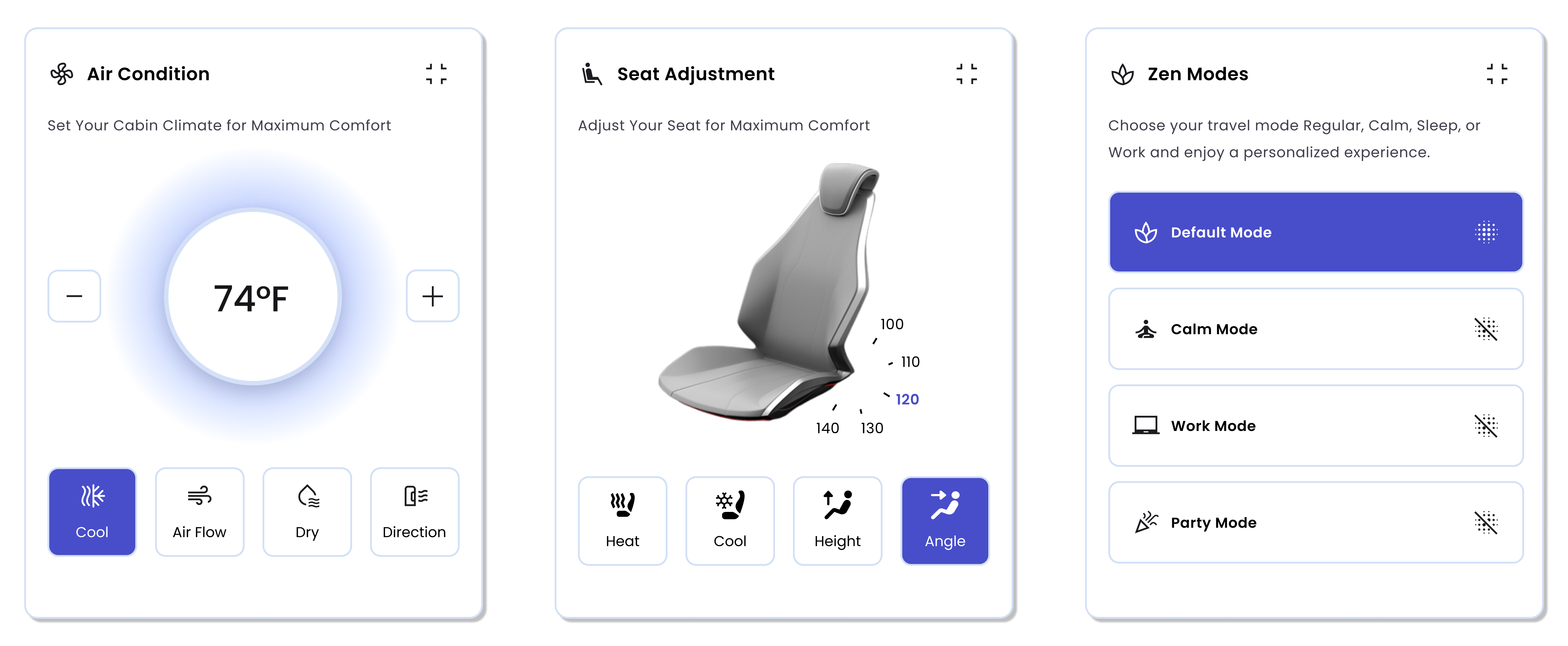
Key Card Features
Climate, seat, mode, entertainment — all the controls the passenger reaches for during a ride, structured as scrollable cards. Same visual hierarchy as the reveal cards, so adjustment feels like a continuation of the loop, not a context switch.
- Scrollable function cards — discoverable without full-screen load
- Travel modes (focus, calm, work, party) gate notification volume
- Safety alerts live in the same card frame as climate, by design
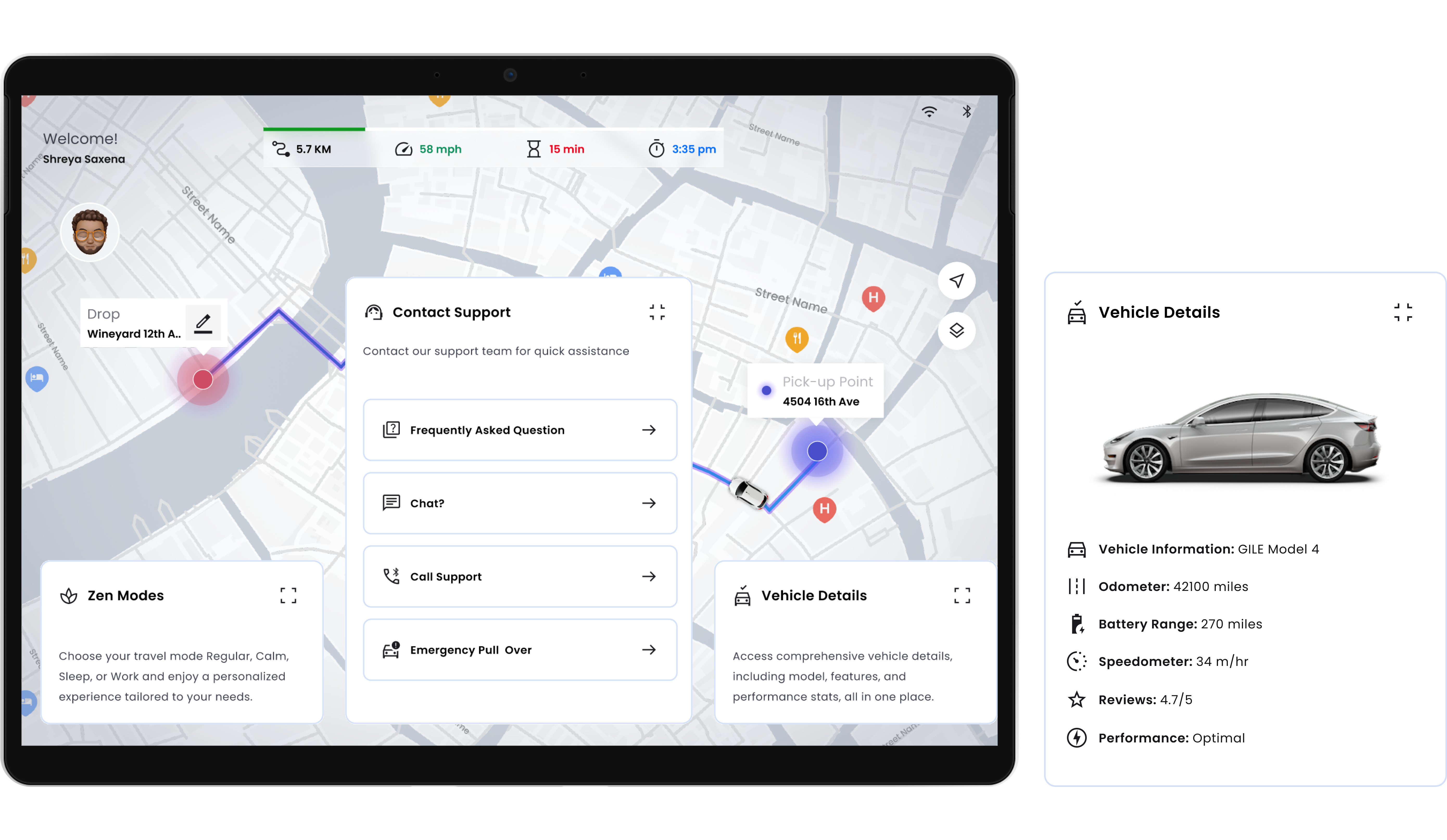
Help, Always One Tap Away
Override is a feature, not an emergency — so support sits inside the same map view as the reveal stream. The passenger never leaves the ride to ask a question; the question rises into the same surface the car is already explaining itself on.
- Contact Support card with FAQ, chat, call, and emergency-pull-over
- Vehicle Details panel inside the same surface as the map
- Never a modal — always a card that slides in over the live map
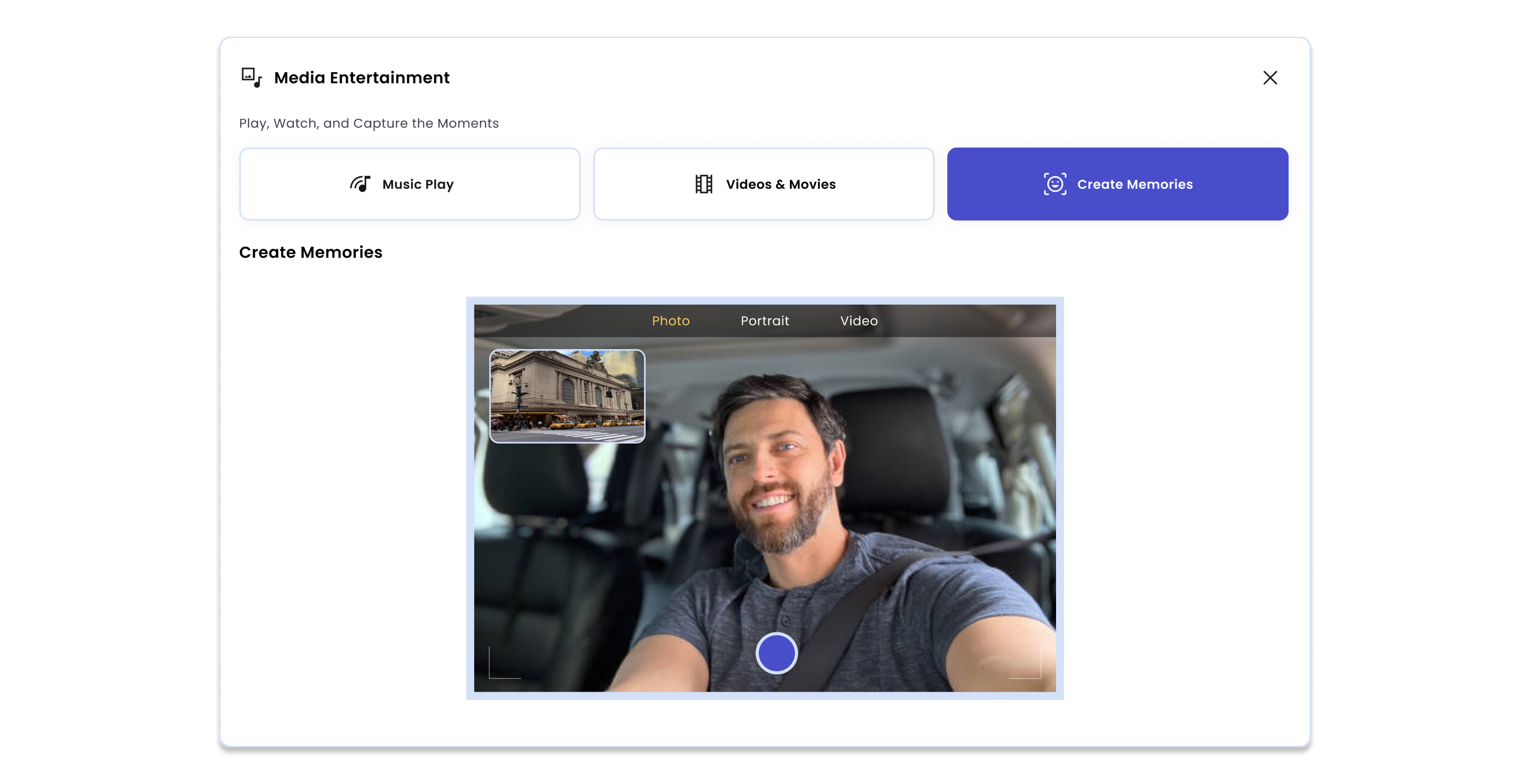
Media & Memories
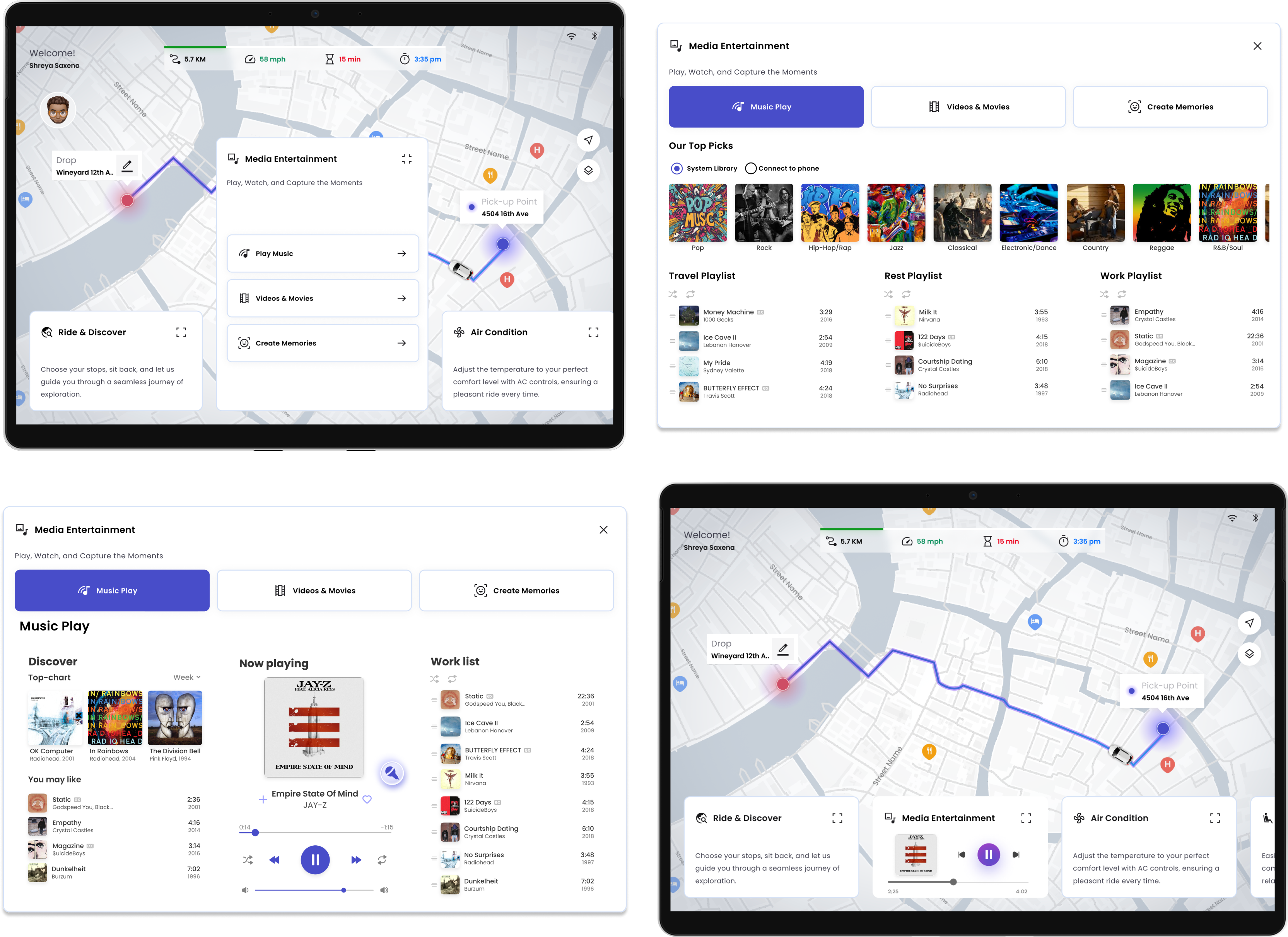
Entertainment on a ride is a category, not a feature — music, video, and "create memories" (a one-tap selfie tied to a moment on the route). Each lives behind the same primary card so the passenger never plays UI Jenga to play a song.
- Music play, Videos & Movies, Create Memories — three peers
- Memory-capture surfaces voice + camera in the same affordance
- Returns to map state without losing playback position
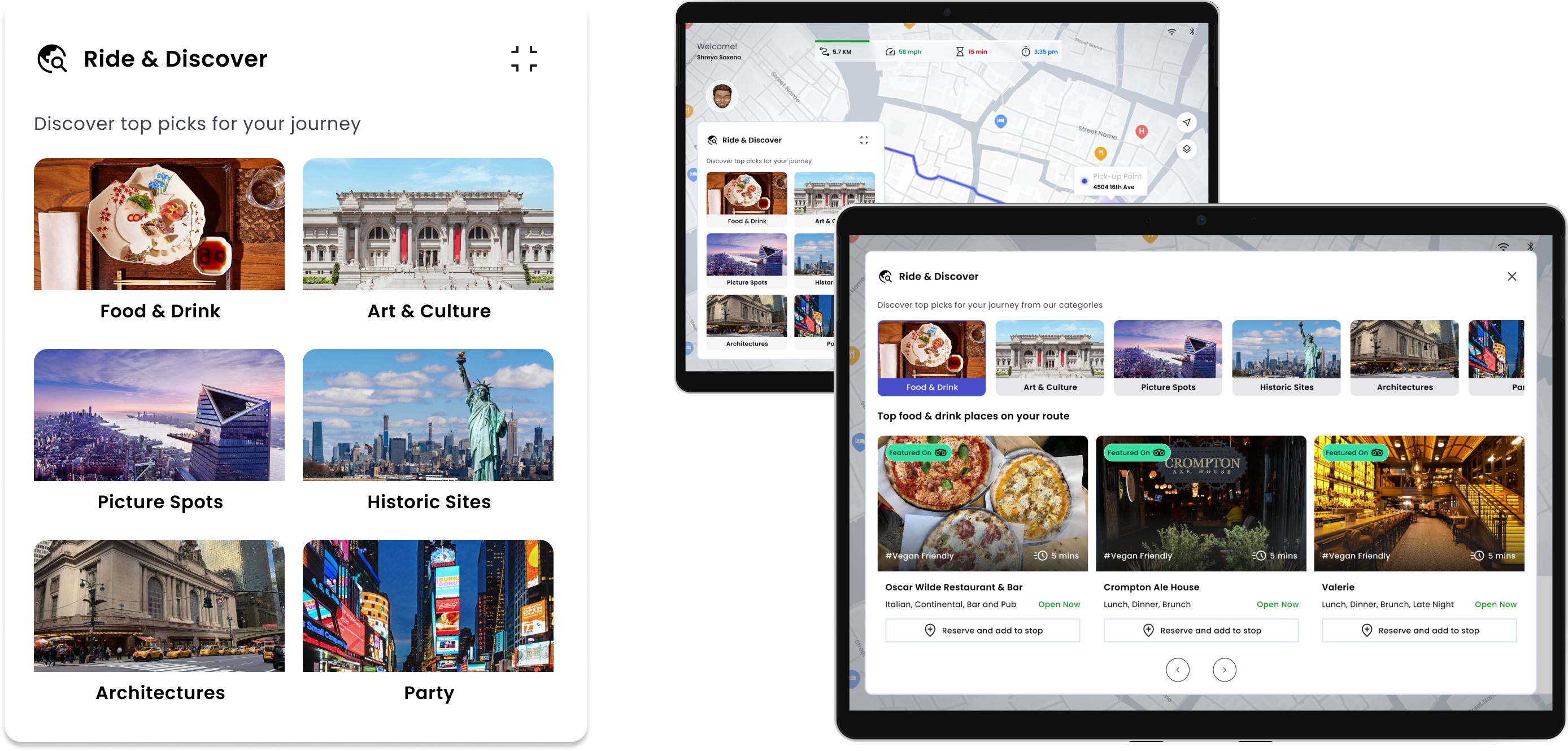
Ride & Discover — Brook as a local guide.
Ride & Discover is the project's killer feature, and it's where Brook earns the title local guide. For Elena — first weekend in Seattle, no local SIM, no idea which neighborhoods are safe at night — the ride is the discovery. Brook surfaces nearby food, architecture, historic sites, and music as a card stack — Elena taps to add a stop, the route re-plans without leaving the surface, and the reveal card narrates the detour in plain language. Curiosity stays inside the trust loop.
Tokens and components that keep every reveal honest.
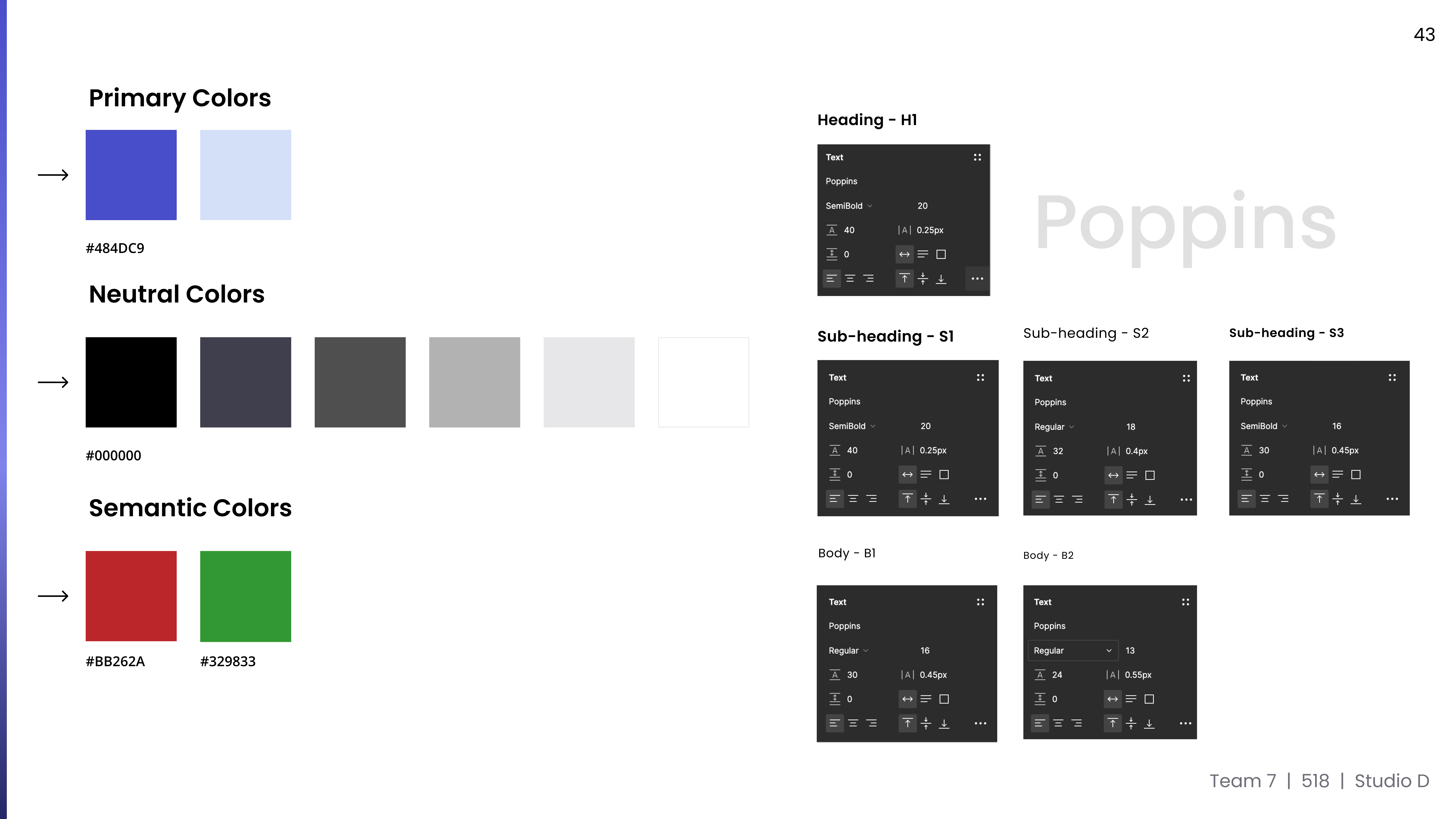
A small, opinionated kit. Status hierarchy, reveal-card variants, color and type tokens, and the iconography for the four routine reveal types — pedestrian, construction, handoff, hazard. Nothing decorative; every token earns its place in the loop.
The goal isn't maximum trust. It's calibrated trust.
A common failure in AI product design is treating "more trust" as the win condition. But over-trust is a safety failure too: a passenger who never glances at the road, never overrides, never doubts is a passenger who can't catch the system when it's wrong. Smart Brook is engineered to keep passengers in the middle — confident enough to relax, alert enough to participate.
Passenger overrides constantly. Autonomy provides no value. Riding feels like babysitting a student driver.
Passenger disengages entirely. When the system errs, no human is in the loop to catch it. Comfort masquerades as safety.
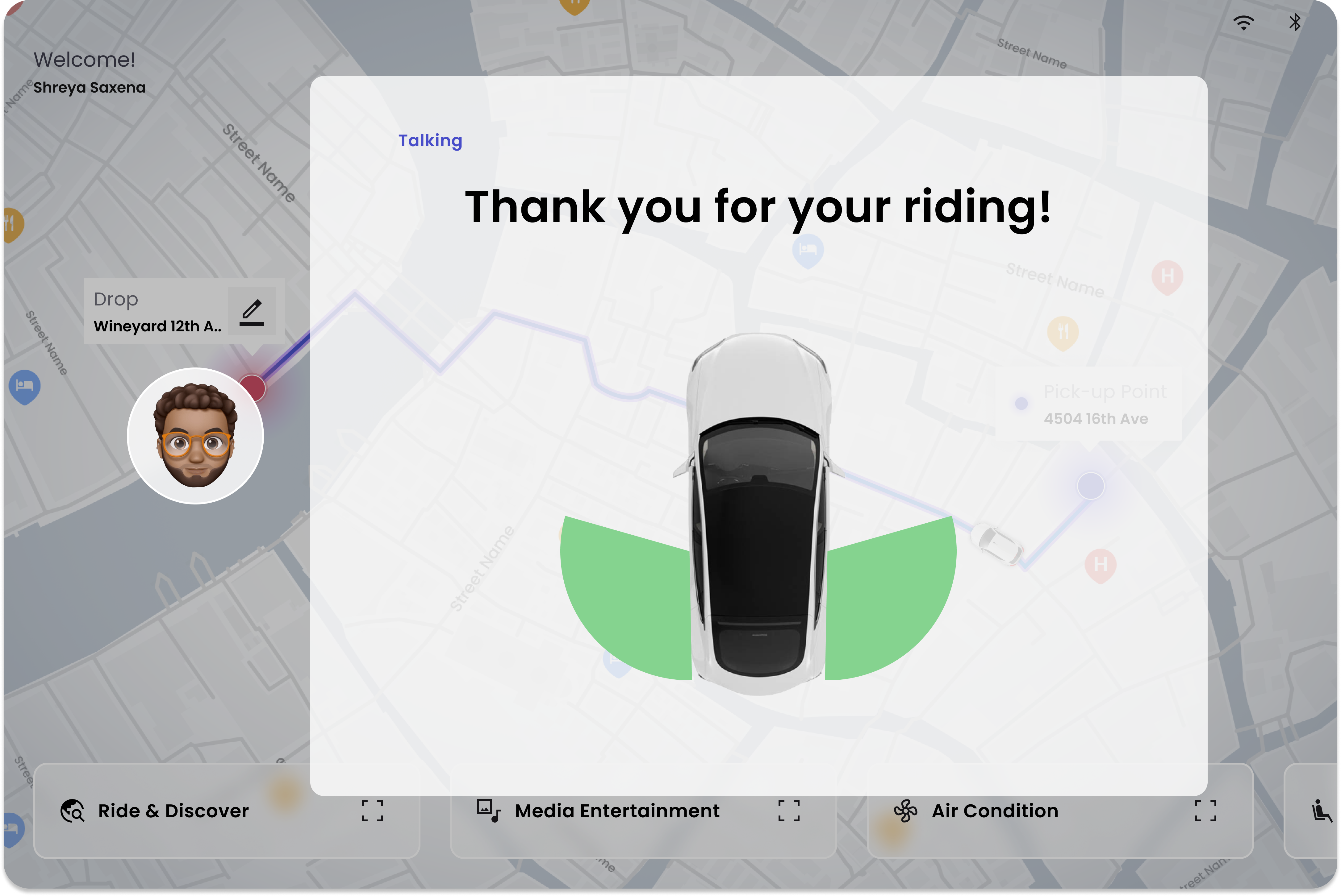
The last screen of the ride. Plain language. A visible "safety cone" of the car's perception. A name you can read. Nothing more.
14 · Reflection
Make the system's reasoning visible at human speed.
Capability is necessary but not sufficient. What converts capability into comfort is the relentless work of pre-acted narration, plain-language reveals, map mirroring, and an override that's never more than a tap away.
Transparency only works when it's quiet.
Surface the vehicle's reasoning, but never make the passenger debug it. The reveal is for reassurance, not engineering review.
The loop is the product.
Each interaction isn't a feature — it's one turn of a continuous trust loop. Designing the loop, not the screen, is how safety perception scales across thousands of rides.
Multimodal isn't redundancy. It's resilience.
Voice, touch, and visual aren't three ways to do the same task. They're three failure modes the system can recover from when one channel is unavailable.
Next turns of the loop
- Companion mobile app. Extend the loop beyond the cabin — pre-ride briefings, post-ride reasoning recaps, remote override of pickup parameters.
- Accessibility & inclusivity. Compliance audit and adaptation for passengers with diverse sensory and motor abilities, especially in the multimodal layer.
- NFC, QR & voice ID. Secure, low-friction passenger identification so personalization can persist across rides without compromising privacy.
- Field validation. Usability testing across diverse user groups under varying road, weather, and traffic conditions to stress-test the reveal logic.